Give your car
its own page.
Keep track of your mods, drives, laps, and passes in one place. Then share your car with other people who are into cars.
Create your garageAvailable on iPhone and the web.
“What have you
done to it?”
Keep photos, part numbers, and maintenance notes on your car’s profile. You can look back at what you changed and share the profile when someone asks about the build.
About build logs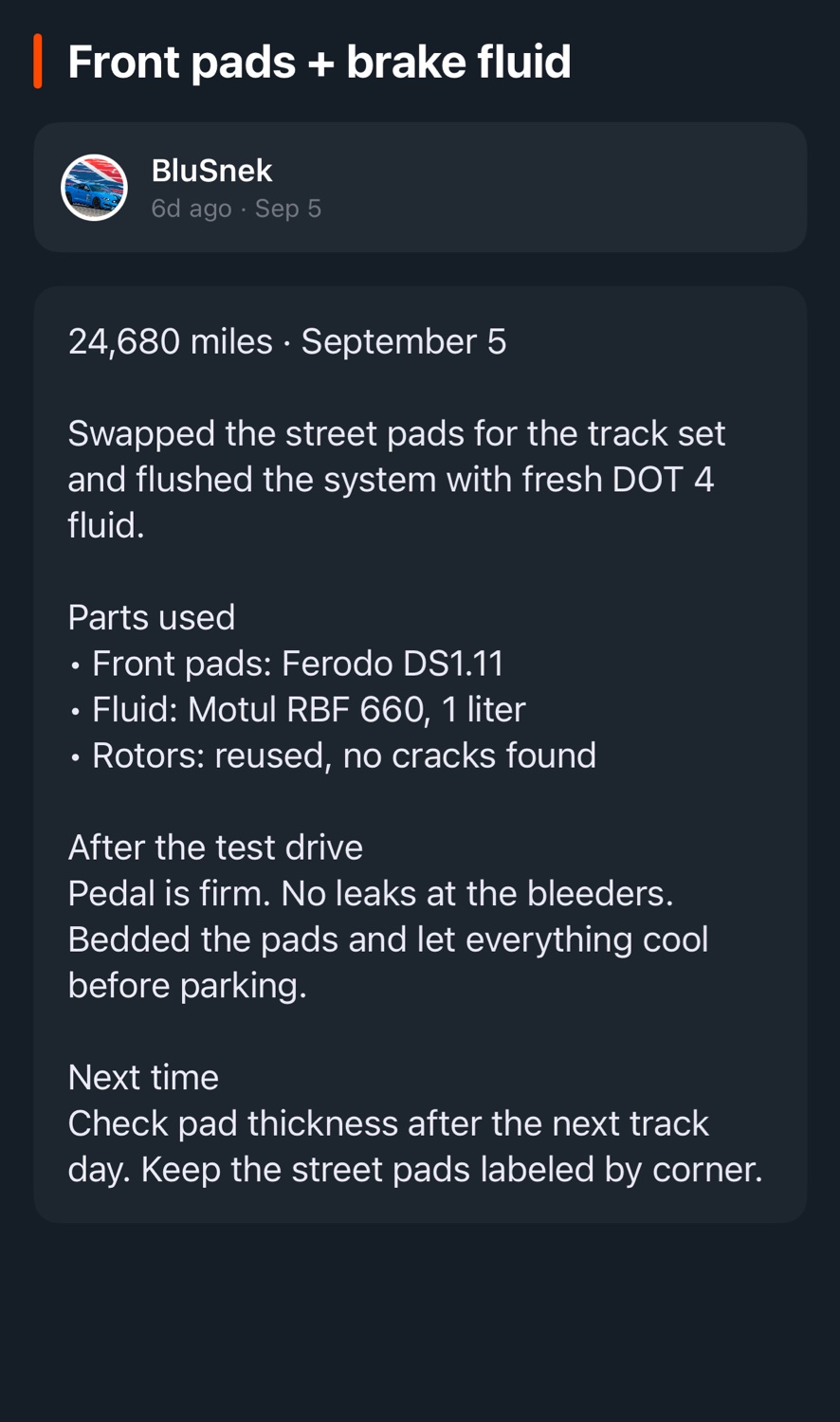
See what you changed
and what it did.
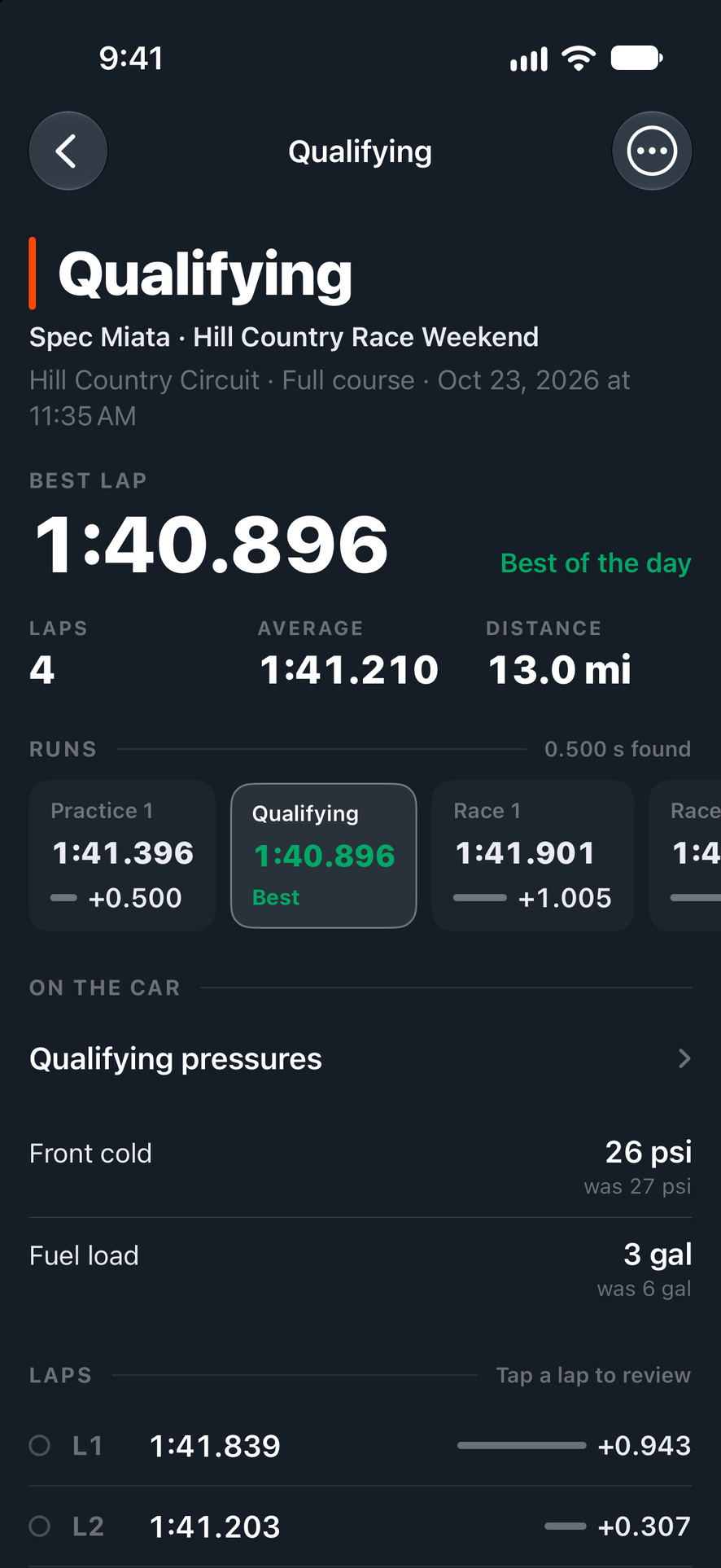
At a track day or race weekend, each session gets its own page. You see your best lap and how much faster you got as the day went on. You can lay up to three laps on top of another lap to see where you were quicker.
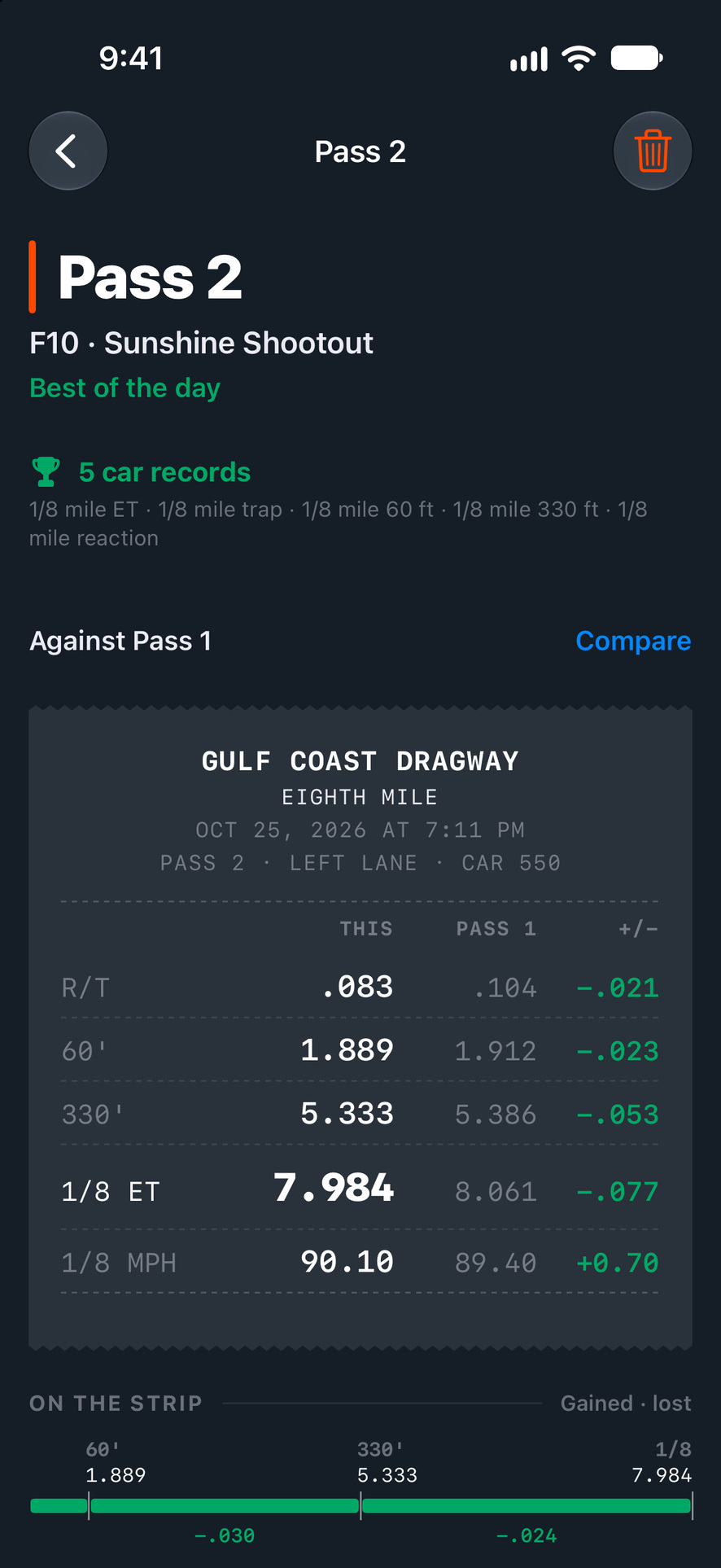
At the drag strip, each pass looks like your time slip. It sits next to your best pass of the day, so you can see where you gained or lost time. Each pass also keeps the setup and tune you ran.
Review your drives
when you get back.
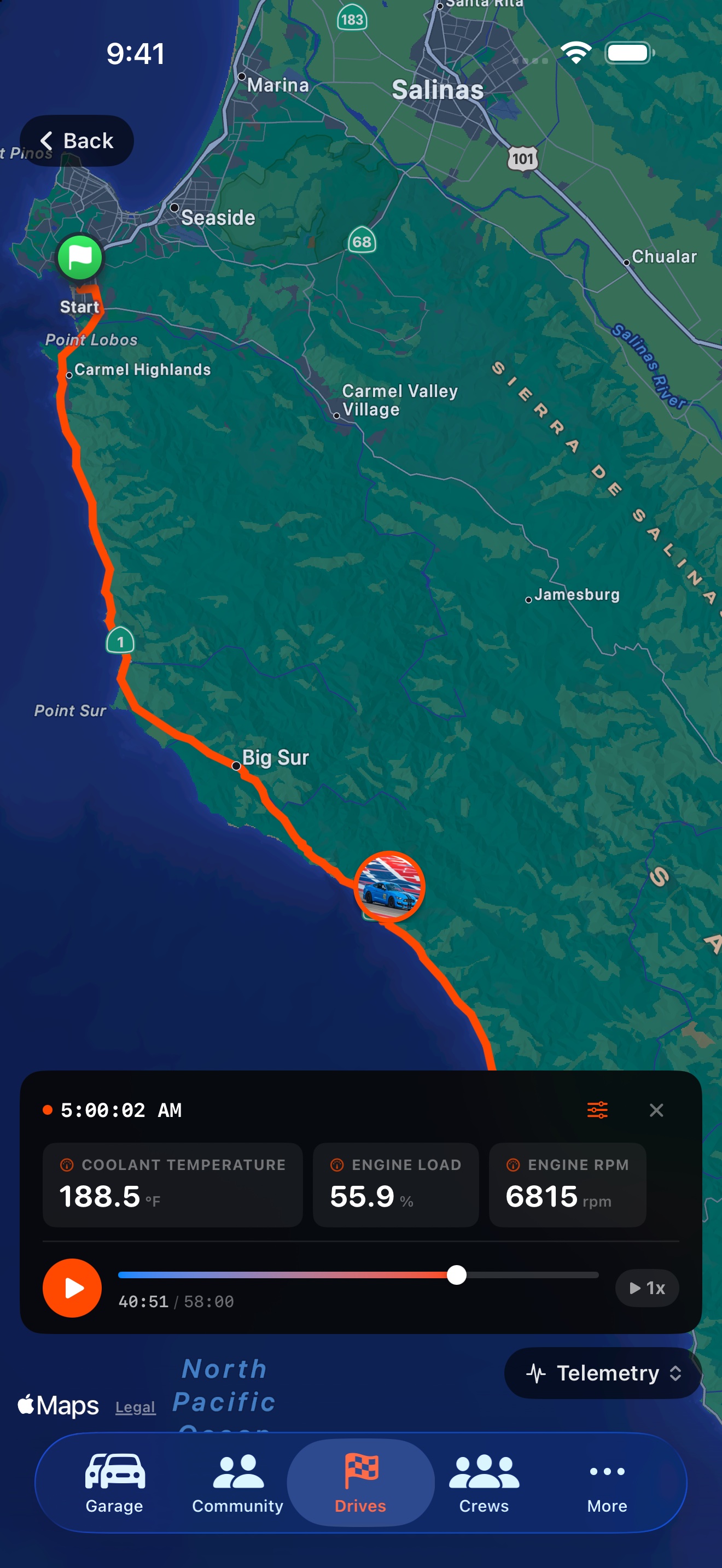
Replay a saved drive to see your route and the sensor readings recorded along it, including RPM, coolant temperature, and engine load.
Record GPS drives on iPhone. Connect a compatible OBD-II adapter for the sensors your car supports.
About drive recordingFollow other cars
and bring your friends.
Post photos, updates, and stories from your car. Follow other builds you like, and ask their owners about their mods.
Start a crew with the friends you drive with. You can see each other’s cars, plan the next meet or track day, and chat in one place.
About the community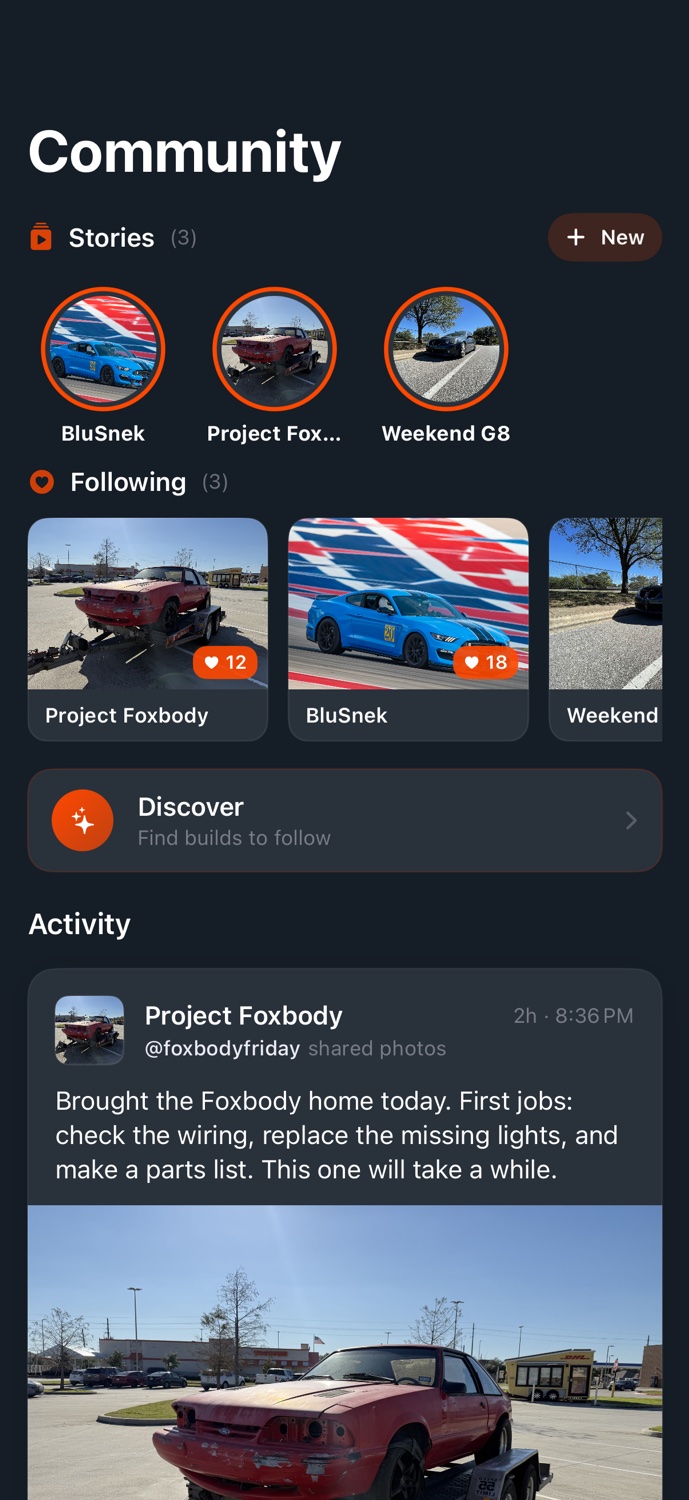
Add your first car.
Download PitStop for iPhone or create an account on the web.
